Django DateRange Filterspec
Adds a form with AdminDateWidgets that can be used to select a range of dates for filtering the list of records displayed in an admin Changelist.
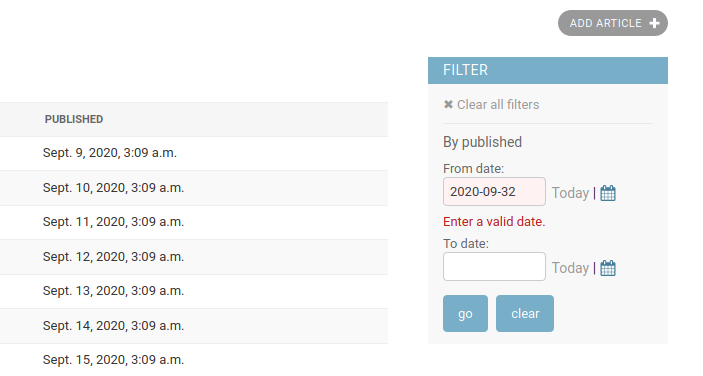
Quick start
Install the package from PyPI:
pip install django-daterange-filterspec
The package includes a template, which loads Django’s calendar widget and date shortcuts. Add the package to the INSTALLED_APPS setting so the template loader can find it:
INSTALLED_APPS = (
    ...
    "daterange.apps.DateRangeFilterConfig",
    ...
)
In your ModelAdmin, set the template used for the changelist to the one
provided by the package. Then, for each field you want to filter on
create a tuple with the name of the field and the DateRangeFilter
filter class:
from django.contrib import admin

from daterange.filters import DateRangeFilter

from .models import Article


@admin.register(Article)
class ArticleAdmin(admin.ModelAdmin):

    list_display = ["title", "slug", "published"]
    list_filter = [("published", DateRangeFilter)]
    ordering = ["-created"]

    change_list_template = "admin/daterange/change_list.html"
Now, go forth and filter!
Project
If you check out the project from the repository there is a fully functioning Django site that you can use to see the filter in action.